

A few years ago, a home goods retailer asked me to review their omnichannel retail strategy because their new website was supposedly “stealing” sales from their two stores. The store managers were frustrated. Foot traffic was down, and they believed every online order was a sale that should have happened at their registers. The ecommerce manager, meanwhile, felt the stores were dragging down the brand with outdated displays and prices that didn’t match the site.
When we pulled the data, the story was very different. A big share of the people buying in the stores had visited the website in the week before they walked in. The website wasn’t stealing anything. Instead, it was doing the research work for the stores, and nobody was getting credit for it because the two teams measured success in completely separate spreadsheets.
That project changed how I talk about connecting channels with every client since. The problem is almost never that a business lacks channels. Most retailers already have a store, a website, a social account, and an email list, and current social commerce trends keep adding more. What’s actually broken is that those channels behave like strangers. They don’t share stock information, they don’t recognize the same customer, and the people running them are often competing against each other for the same budget.
This article is the conversation I have with owners and managers when we start connecting their store and their website. It’s practical, it’s based on what I’ve seen work and fail, and it’s meant for retailers who have real stores, real staff, and limited time.
What an Omnichannel Retail Strategy Actually Means
Let me clear up the vocabulary first, because it causes a lot of confusion in planning meetings.
Multichannel, Omnichannel, and Unified Commerce
Multichannel means you sell in more than one place. You have a store and a website, and each runs on its own.
Omnichannel means those places work as one experience for the customer. Someone can browse on their phone, check whether the item is on your shelf, reserve it, pick it up after work, and return it by mail if it doesn’t fit, without ever feeling like they crossed a border.
There’s a third term you’ll hear more often now. Shopify draws a useful line here: omnichannel retail focuses on the customer experience, where shoppers move between an online store, a physical store, a mobile app, and customer service without starting over, while unified commerce is the system behind that experience. I like that distinction because it reminds owners that the customer-facing promise and the back-office plumbing are two different projects. You can’t keep the promise without the plumbing.
The Three Questions a Real Omnichannel Retail Strategy Answers
So when I say “omnichannel retail strategy,” I mean a plan that answers three questions:
- What experience do we want customers to have as they move between our store and our website?
- What systems and data have to be connected to deliver that experience?
- How do we organize and reward our people so they support it instead of fighting it?
If your current plan only answers the first question, you have a marketing idea. Answer all three, and you have a strategy.
Why Your Omnichannel Retail Strategy Needs Both the Store and the Website
I still meet owners who think of the website as a threat to the store, or the store as an expensive relic the website will eventually replace. The research consistently points the other way.
What 46,000 Shoppers Reveal About Omnichannel Retail Strategy
The study I quote most often comes from Harvard Business Review. Researchers studied the shopping behavior of just over 46,000 customers who made a purchase during the 14-month period from June 2015 to August 2016. The majority of those shoppers, 73%, used multiple channels during their shopping experience. Only 7% were online-only shoppers and 20% were store-only shoppers.
The more interesting finding was about value. Omnichannel customers spent an average of 4% more on every shopping occasion in the store, and 10% more online than single-channel customers. They also came back more. Within six months, these customers had logged 23% more repeat shopping trips to the retailer’s stores, which makes channel integration one of the most practical customer retention strategies available.
And here’s the part that should calm every nervous store manager: conducting prior online research on the retailer’s own site or sites of other retailers led to 13% greater in-store spending among omnichannel shoppers. In other words, the website sends better-prepared, higher-spending customers through your door. That was exactly what we found with the home goods client.
The authors were careful to say their results show correlation, not proof of cause. Fair enough. But I’ve watched the pattern repeat across enough clients that I treat it as a working rule: the customer who touches you in more places is the customer worth building around.
The Market Is Moving Toward Connected Retail
The broader market backs this up. According to the National Retail Federation, retail sales in 2026 will grow 4.4% over 2025 to $5.6 trillion. Physical retail isn’t disappearing. What’s changing is how people get to the register. Click and collect alone tells the story: Omnisend reports that buy online, pick up in store and curbside sales are projected to reach $177.9 billion in US retail online sales in 2026, a 15.3% increase year over year.
McKinsey put it bluntly years ago, and it’s only more true now: offering a compelling omnichannel experience used to be the bleeding edge of retail, and now it’s a requirement for survival.
Five Connections Every Omnichannel Retail Strategy Needs First
When a retailer hires me, I don’t start with a new app or a loyalty platform. I start with five connections between the store and the website. If these five aren’t solid, everything you build on top of them will wobble.
1. One Inventory Truth
Nothing damages trust faster than a website that says “in stock” when the shelf is empty. I’ve seen customers drive 30 minutes for a pickup order that the store couldn’t find, then leave a one-star review that mentioned the brand by name in every sentence. Bad reviews like that undo months of work spent learning how to get more customer reviews.
Your first job is making sure your website and your point of sale system read from the same inventory count, and that the count updates often enough to be trusted. For a small store, that might mean moving both channels onto one commerce platform. A larger business with an older system might need an integration that syncs every few minutes instead of once a night.
Two practical tips from the field:
- Build in a safety buffer. If your system says you have two units of an item, don’t show it as available for pickup online. Show “limited stock” or hide it from pickup until you have three or more. Shelf counts are never perfectly accurate, and the cost of disappointing a pickup customer is much higher than the cost of one missed online sale.
- Show store availability on product pages. “Available at our Main Street store today” is one of the strongest lines you can add alongside your product descriptions. It answers the question every local shopper has before they decide whether to wait for shipping, and it removes a common reason for cart abandonment.
2. One Customer Record
The second connection is recognizing the same person in both places. Most retailers I work with have two partial customer lists: an email list from the website and a set of loyalty numbers or phone numbers from the register. Rarely do they match.
Shopify’s enterprise team makes the point clearly: a unified customer data model built on first-party data is at the core of a successful omnichannel retail strategy. I agree completely, and I’d add that it doesn’t have to be fancy to be useful.
Start by asking for an email or phone number at checkout in a way that gives the customer something back. Digital receipts work well. So does “Want us to save this purchase to your account so returns are easier?” Once you can tie a store purchase to the same profile as online browsing, you can stop sending discount emails for products someone already bought at the counter last Tuesday. That alone makes your brand feel smarter, and it’s a quiet way to build customer loyalty.
3. Pickup and Returns That Cross the Line
If inventory and customer data are the foundation, pickup and returns are the first floor. They’re where customers actually feel the connection.
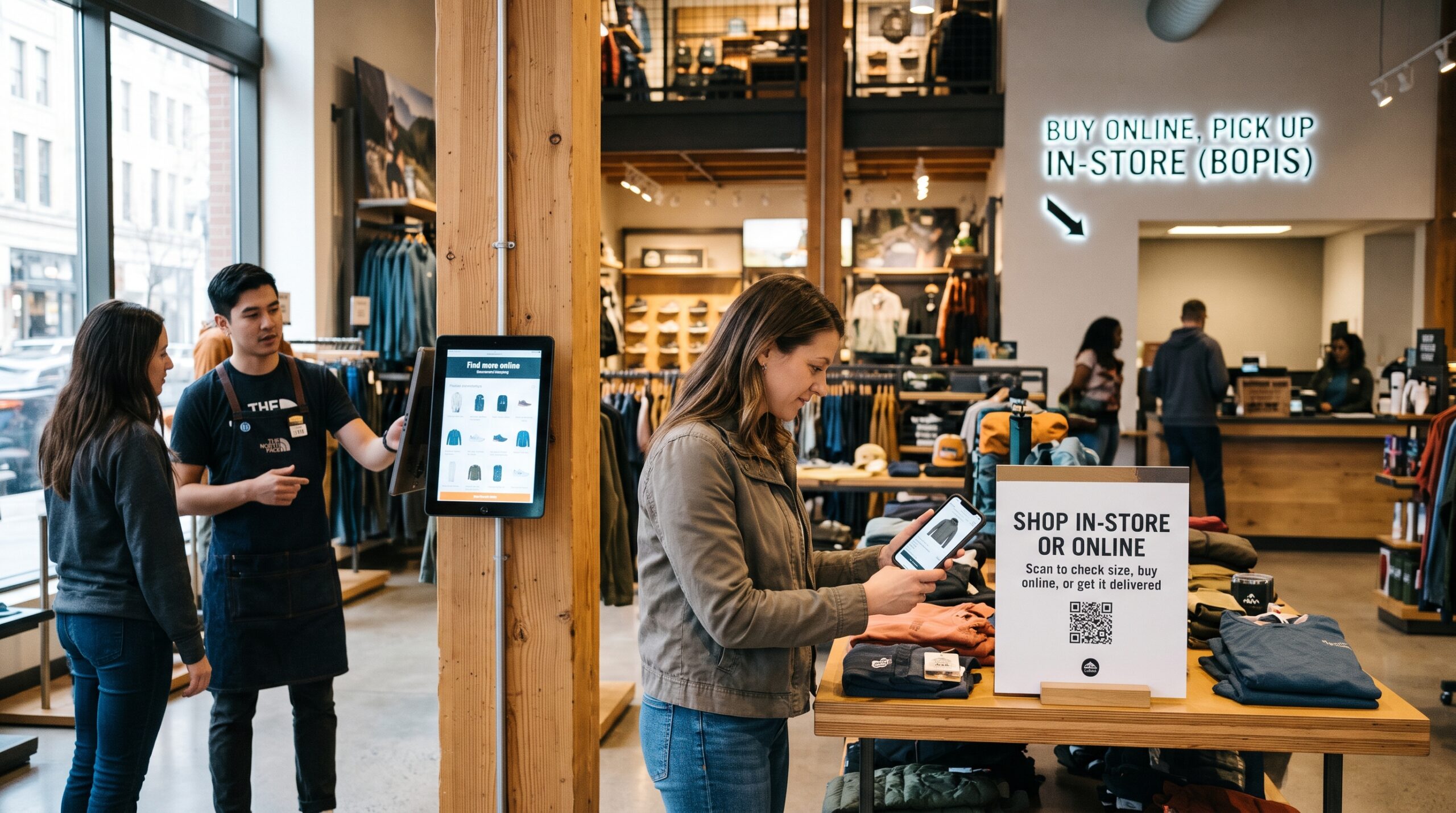
Buy online, pick up in store does more than save shipping costs. It brings people through your door with their wallet already out, which is one of the most reliable ways to increase foot traffic to your retail store. According to a figure cited in Shopify’s BOPIS guide, Market Growth Reports found that during pickup, 67% of customers make additional purchases. I’ve seen that effect firsthand when the pickup counter is placed thoughtfully, near a small display of add-ons built with simple visual merchandising ideas, rather than buried at the back next to the restrooms.
Larger retailers lean heavily on this. In August 2023, Best Buy’s BOPIS approach accounted for over 40% of the company’s online revenues. Matching Best Buy’s scale isn’t necessary. A clean process is. Fewer individual shipments also fit the sustainable shopping trends for 2026 that many of your customers already care about.
A Pickup and Returns Checklist
Here’s the pickup checklist I hand clients:
- Send a confirmation email with the exact pickup location inside the store, hours, and what ID to bring
- Hold the “ready for pickup” message until the item is physically bagged and labeled
- Mark the pickup spot clearly, with signage visible from the entrance
- Set a target handoff time once the customer arrives (I aim for under two minutes)
- Train staff to say one helpful sentence about a related product, not a sales pitch
Returns matter just as much. Let people return online orders in your store. It’s one of the cheapest ways to turn a return into an exchange or a new purchase, and it removes a big worry for first-time online buyers.
Be honest with yourself about the work involved, though. Kibo Commerce makes a point I repeat often: omnichannel fulfillment is about more than flipping a switch to show store inventory online; it requires buy-in from almost every division in the organization, from warehouse and store operations to merchandising.
4. Staff Who Sell Both Channels
This is the connection most owners skip, and it’s the one that quietly kills projects.
If your store staff earn commission only on register sales, every online order picked up in their store is extra work with no reward. They’ll do it, but slowly and without a smile. When your ecommerce team is judged only on website revenue, they’ll have no reason to promote store events or local pickup.
Fix the incentives before you launch. A few approaches I’ve used:
- Credit online sales to the store that serves the customer’s area or fulfills the order
- Give store teams a share of credit when a customer picks up an online order and buys something extra
- Track one shared number for the whole business, like total revenue per customer, and celebrate that in team meetings instead of channel numbers alone
Then equip your floor staff. A tablet or phone that lets an associate check stock at another location, place an order for home delivery, or look up a customer’s online purchase history turns a “sorry, we’re out” into a saved sale.
5. Pricing and Promotions That Match
Customers notice when the store price is different from the website price, and most don’t assume you have a good reason. Instead, they assume you’re trying to trick one group or the other. Shoppers drawn to ethical consumerism are especially quick to punish anything that feels like a bait and switch.
My default advice is simple: same price, same promotions, everywhere, unless there’s a clear and visible reason not to. If you run a web-exclusive deal, label it clearly as web exclusive. A store clearance section should be obviously a clearance section. Surprises at the register erode trust you spent years building.
Building Your Omnichannel Retail Strategy: A 90-Day Plan
Owners usually ask me where to start when they don’t have a big budget or an IT department. This is the rough sequence I follow with small and midsize retailers. Adjust the pace to your team.
Days 1 to 30: Map and Measure
Walk the journey yourself. Find a product on your website using your phone. Next, figure out whether your store has it. Then attempt to buy it for pickup, and finally see how easy it is to return. Write down every point where you felt confused or had to call someone.
After that, ask five regular customers to do the same and talk you through it. You’ll learn more in those conversations than in any dashboard.
At the same time, document your systems. Which platform runs your website? Which runs your registers? Where does inventory live? Where do customer emails live? Draw it on one page. Most owners are surprised by how many disconnected tools they’re paying for.
Finally, pick your baseline numbers. I recommend tracking:
- Inventory accuracy (how often the system count matches the shelf)
- Percentage of online orders fulfilled through pickup
- Average order value for customers who shop both channels versus one
- Repeat purchase rate within 90 days
- Time from “ready for pickup” to handoff
Days 31 to 60: Connect the Foundation
This is where you tackle inventory and customer data. If your website and point of sale are on different platforms that don’t talk, now is the time to decide whether to integrate them or move to one system.
McKinsey offers a warning I share with every client at this stage: retailers are often swayed by new technologies that sound promising but too often don’t deliver, and many have a murky understanding of how omnichannel creates value. Don’t buy software because a vendor gave a great demo. Buy it because it solves a specific break you found in your journey map.
Run a cycle count on your top-selling products and fix the data. Clean, trusted inventory is worth more than any feature you could add.
Days 61 to 90: Launch, Train, and Listen
Turn on store availability and pickup for a limited set of products first. Your best sellers with reliable stock are a good starting point. Train every staff member on the pickup process and do practice runs with friends and family before you announce it.
Fix incentives before launch day, not after the complaints start.
Then listen. Read every pickup-related review. Ask staff what’s slowing them down. Make small fixes weekly. Expand to more products only when your pickup process is consistently smooth.
Omnichannel Retail Strategy Mistakes I See Over and Over
After enough of these projects, the same mistakes keep showing up. If you can avoid these, you’re ahead of most of your competitors.
Data and Team Mistakes
Launching features before fixing data. A beautiful “check store stock” button connected to bad inventory data is worse than no button at all. It actively sends customers to empty shelves.
Treating the website as a separate business. When the online team reports to a different leader with different goals, conflict is guaranteed. One customer, one brand, one set of goals.
Measuring channels instead of customers. If you only look at store sales and web sales in separate columns, you’ll keep making decisions that help one channel while hurting the total. Look at what each customer is worth to the whole business.
Customer Experience Mistakes
Ignoring the store experience for pickup customers. If pickup means waiting in the regular checkout line behind six people, customers will choose shipping next time, and you lose the chance to sell them anything else.
Copying big retailers. You don’t need a mobile app, robotic lockers, and curbside parking spots on day one. Small retailers win with personal service, local knowledge, and speed. Build on those strengths.
Forgetting about mobile. Most people who check your website while standing in a parking lot or another store are using their phone. If your product pages load slowly or your store availability is hidden in a dropdown on mobile, the connection breaks right when it matters most. Compressing images and following solid ecommerce product photography tips keeps pages fast without sacrificing quality.
How to Know Your Omnichannel Retail Strategy Is Working
Six months after launch, I sit down with clients and look at a short set of questions:
- Are customers who use both channels spending more and returning more often than single-channel customers? If the Harvard research holds for your business, they should be.
- What share of online orders now come through pickup, and how much do pickup customers add to their orders at the counter?
- Has inventory accuracy improved, and have “item not found” pickup failures dropped?
- Are store staff and ecommerce staff working toward the same numbers, or still arguing about credit?
- Do reviews mention convenience, speed, or helpful staff more often than before?
If the answers are mostly yes, you’re building something durable. If not, go back to your journey map. The break is almost always in one of the five connections.
Final Thoughts on Omnichannel Retail Strategy
An omnichannel retail strategy isn’t a software purchase or a marketing campaign. It’s a decision to treat your customer as one person, no matter where they show up, and to organize your stock, your data, and your people around that decision.
The retailers I’ve seen succeed weren’t the ones with the biggest budgets. Rather, they were the ones who were honest about where their store and website disconnected, fixed the boring foundation first, and got their teams pulling in the same direction. Remember the home goods client I mentioned at the start? Once we combined their reporting and shared credit between store and web teams, the “stealing” argument disappeared within a quarter. Their managers stopped seeing the website as a rival and started seeing it as their best salesperson, one that worked all night and sent them customers who already knew what they wanted.
Your store and your website are already talking to the same people. Your job is to make sure they’re telling the same story.
Frequently Asked Questions About Omnichannel Retail Strategy
What is an omnichannel retail strategy?
An omnichannel retail strategy is a plan that connects all the places a customer can shop with you, especially your physical store and your website, so they work as one experience. Inventory, customer information, pricing, pickup, and returns are shared across channels. Shopify’s guide on how to build an omnichannel retail strategy covers the core capabilities in more depth.
What’s the difference between multichannel and omnichannel retail?
Multichannel means you sell in several places that operate separately. Omnichannel means those places are connected so the customer can move between them without starting over. A multichannel retailer has a store and a site. An omnichannel retailer lets you buy on the site and return in the store without friction.
Is an omnichannel retail strategy worth it for a small retailer with one store?
Yes, and small retailers often have an advantage because they have fewer systems to connect. Even one store can offer online stock checks, local pickup, and in-store returns for online orders. The research in A Study of 46,000 Shoppers Shows That Omnichannel Retailing Works suggests shoppers who use multiple channels spend more and return more often.
What technology do I need to connect my store and website?
At minimum, you need a website and point of sale system that share inventory and customer data, either because they run on the same platform or through a reliable integration. Many small and midsize retailers find it simpler to run both channels on one commerce platform than to maintain custom connections.
How does buy online, pick up in store help sales?
It brings online shoppers into your physical store, where many buy additional items. Pickup also saves shipping costs and gives customers their items faster. Shopify’s guide to BOPIS explains how to set up the process, staffing, and tools.
What’s the biggest mistake retailers make with omnichannel?
Launching customer-facing features before fixing inventory accuracy and staff incentives. When the website shows stock that isn’t on the shelf, or store staff aren’t rewarded for handling online orders, the experience breaks and customers lose trust. Kibo’s checklist for a successful BOPIS launch is a helpful reality check before going live.
How long does it take to build an omnichannel retail strategy?
A small retailer can connect the basics, meaning inventory, pickup, and returns, in about 90 days. Larger businesses with older systems may need six months to a year. The key is starting with your customer journey and fixing the foundation before adding new features.
References
- Sopadjieva, E., Dholakia, U. M., and Benjamin, B. A Study of 46,000 Shoppers Shows That Omnichannel Retailing Works. Harvard Business Review.
- McKinsey and Company. Omnichannel: The Path to Value.
- Keenan, M. How to Build an Omnichannel Retail Strategy. Shopify Enterprise Blog.
- Shopify. Buy Online, Pickup In Store: A Guide to BOPIS. Shopify Blog.
- Chain Store Age. NRF: Retail Sales to Grow 4.4% in 2026; Outlook Tops Average Growth of Past 10 Years.
- Omnisend. Omnichannel Marketing Statistics for Ecommerce (2026).
- Kibo Commerce. Checklist for a Successful BOPIS Launch.
- ResearchAndMarkets via Business Wire. United States BOPIS Market Report 2024.
Leave a comment